This article is a short tutorial on how to link your Discord to GameWisp as a subscriber, and get any Discord benefits you have paid for.
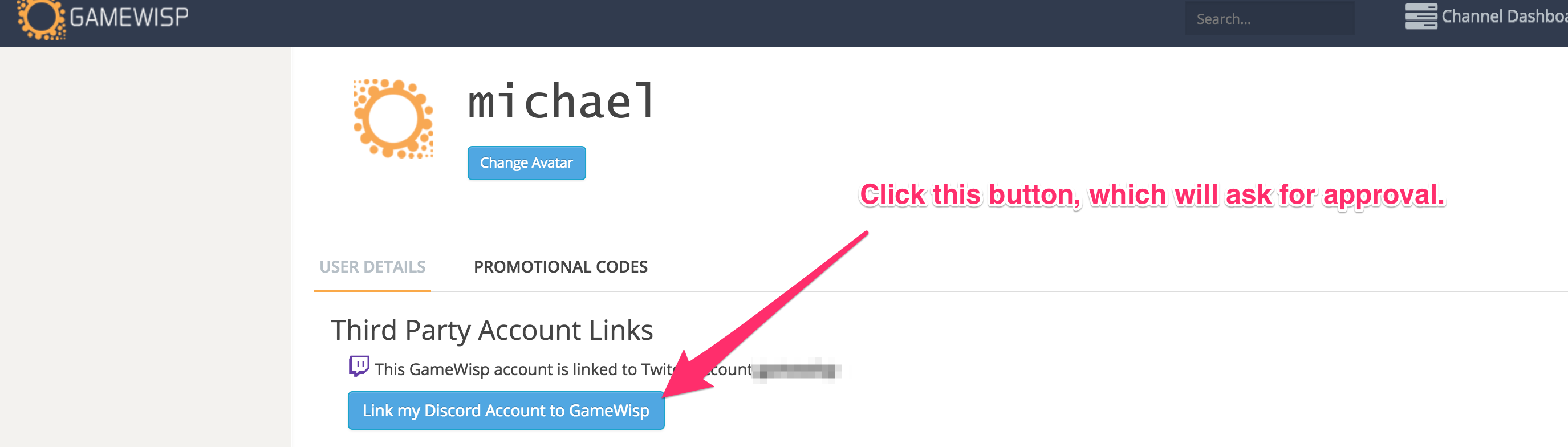
You will need to link your Discord to GameWisp for it to automatically add the role and channel.
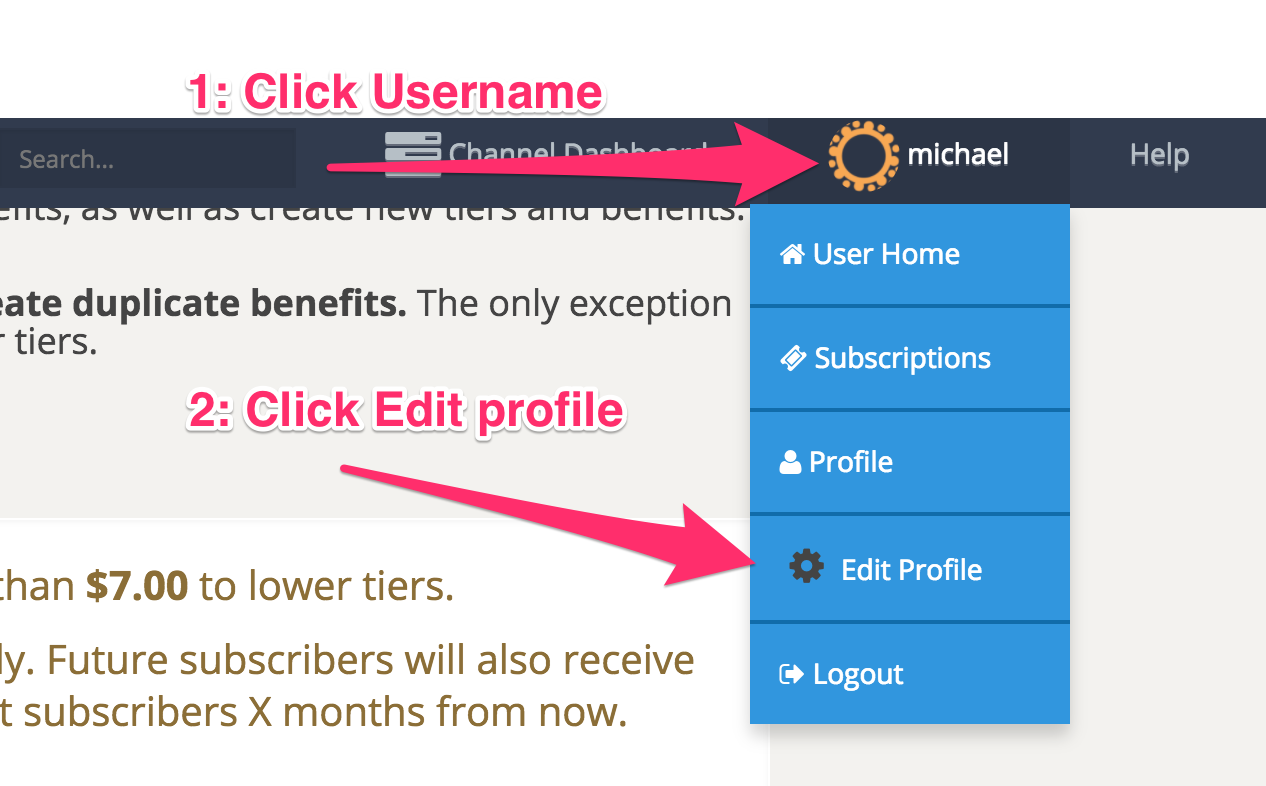
You can do that from your Edit User Profile Page, as seen here:

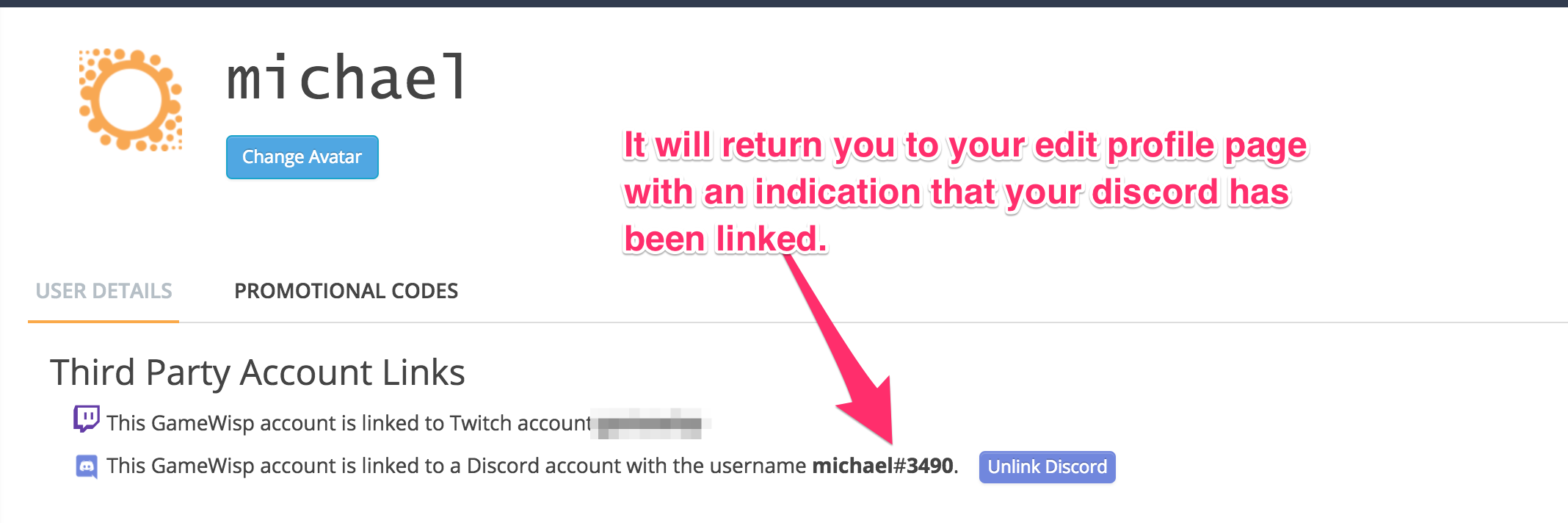
After this process, it can take a few seconds or a few minutes for the role and channel to be added to your account and show up in discord. If it has been longer than that, please contact GameWisp support.


2 Comments